What players say
Traffic Go is a fantastic reflex-based driving game that keeps you on the edge of your seat. The 3D city visuals are immersive, and the increasing traffic and speed create a perfect difficulty curve. It's easy to pick up but hard to master, making every session exciting as you strive for a new high score.
About this game
Game Introduction
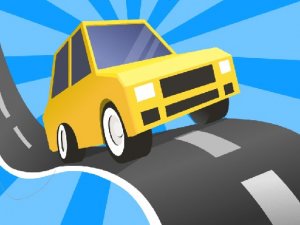
Traffic Go - High Speed Car Racing is an online driving game that challenges players to navigate a sleek car through busy city streets. The core objective is to drive forward as far as possible without colliding with other vehicles. The game features realistic 3D graphics that create an immersive urban environment, with traffic density and speed increasing as you progress. This escalating difficulty tests your focus and reflexes, making each run a unique experience. It is ideal for players who enjoy skill-based driving games with simple mechanics and high replay value.
How to Play
Players control their car by swiping left or right to change lanes, avoiding oncoming traffic. Timing and precision are essential—a quick maneuver can prevent a crash, while hesitation often leads to a collision. The game starts at a manageable pace but quickly becomes more challenging as traffic increases and speed rises. To succeed, players must watch the road ahead, plan their path through gaps in traffic, and make split-second decisions. Staying calm and avoiding sudden movements helps maintain steady progress.
Game Features
Intuitive swipe controls make the game easy to pick up and play. The 3D visuals bring the city streets to life, enhancing the sense of speed and immersion. Dynamic difficulty scaling means the game adapts to your skill level, with traffic and speed increasing over time. This creates a strategic reflex test that rewards both quick reactions and careful planning. The endless format ensures each session is different, encouraging players to beat their best distance.
Tips for Success
Practice regularly to improve your ability to read traffic patterns and anticipate gaps. Focus on the road ahead rather than your current position to plan your moves in advance. Stay calm under pressure—panicking can lead to erratic swipes and crashes. Use smooth, deliberate lane changes rather than jerky movements. Over time, you will develop a better sense of timing and be able to handle higher speeds with confidence.