
What players say
Tile Buster Quick Play is a browser arcade puzzle game built around a simple loop: move a launcher, fire upward, and clear colorful tiles. Its strength is accessibility. No download, no installation, and responsive controls for mouse or touch make it easy to start. The endless mode raises difficulty gradually, so beginners can improve without hitting a wall. The clean visuals and smooth tile animations keep the experience relaxed rather than intense. The main limitation is that there is no level structure or story, so players seeking progression beyond a high score may find it thin. It suits casual players who want short, thoughtful sessions.
About this game
Precision Aiming Over Rapid Fire
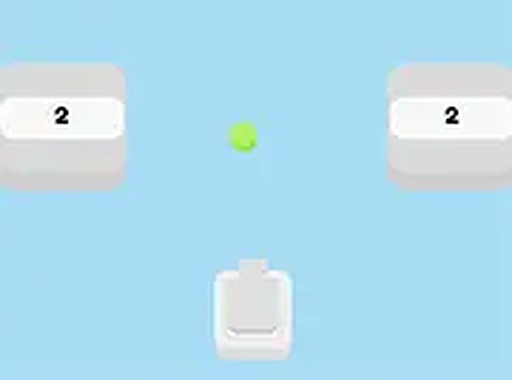
Tile Buster Quick Play puts a launcher at the bottom of the screen. You move it left or right and fire a projectile upward to clear groups of colorful tiles. The game rewards careful alignment over rushed shooting; a single well-placed shot can remove several tiles at once, while a hasty miss wastes time and breaks your rhythm. Each successful hit adds to your score, and the challenge increases as new tiles appear in different formations.
Endless Play Without Levels
There are no traditional levels or story mode. Instead, the game runs as an endless session where difficulty rises organically. As you clear tiles, fresh ones arrive in more complex patterns and at a faster pace. This gradual ramp-up lets beginners find their footing while giving experienced players a reason to keep refining their accuracy. The only goal is a higher score through consistent precision.
Clean Visuals and Immediate Feedback
The bright, cheerful color palette makes each tile easy to tell apart, and the backgrounds stay clean so the action remains the focus. When a tile is hit, it disappears with a smooth animation, giving immediate visual confirmation of your shot. That restrained design keeps the atmosphere relaxed, which suits players who want to unwind without intense visual stimulation.
Play Anywhere in a Browser
Tile Buster Quick Play runs directly in a web browser with no downloads or installations. It is fully responsive, adapting to different screen sizes on desktop computers, tablets, and smartphones. A full-screen mode is available for a more immersive view. Controls work with both mouse and touch input, so the experience stays consistent across devices.
Compatibility
FAQ
Player comments
Sign in to comment
You must be logged in before posting a review or rating.
No comments yet. Be the first to comment!







Editorial Notes