
What players say
Number Grid Deduction Game delivers a pure deduction experience: a 9x9 grid, nine 3x3 regions, and the rule that digits 1-9 appear once per row, column, and region. Difficulty scales by reducing starting clues, which deepens the reasoning without adding guesswork. Optional hints and error-checking support learning, while time and error tracking help players measure progress. It suits casual solvers and anyone who enjoys logical elimination, though it offers no multiplayer or competitive modes.
About this game
How the Grid Works
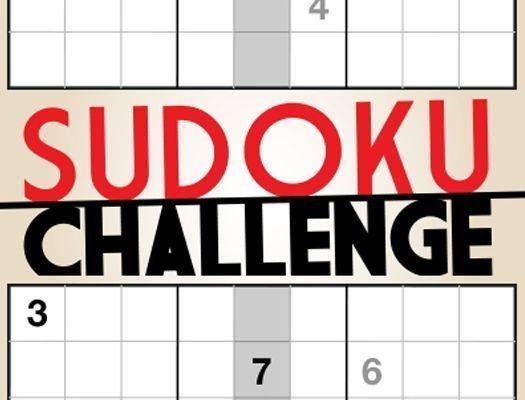
The playing field is a 9x9 square split into nine 3x3 regions. Each row, each column, and each region must hold the numbers 1 through 9 with no repeats. A puzzle begins with some cells already filled in as clues. From there, you decide what goes in every empty cell by eliminating possibilities until only one number fits. The design rules out guesswork: each puzzle has a single solution that careful analysis can reach. That constraint is what makes the game a test of logical thinking rather than luck.
Difficulty Without Frustration
Several difficulty levels are available, from introductory to advanced. Easier puzzles supply more starting numbers, so the first moves are straightforward. Harder settings reduce the number of clues, which forces deeper reasoning and longer elimination chains. The step up in challenge is gradual, which helps build skill without causing frustration. Every puzzle is generated to be fair and solvable, with a unique solution that does not rely on guessing. You set your own pace and work through the levels as your problem-solving improves.
Controls and On-Screen Feedback
The interface stays clean and distraction-free so you can concentrate on the grid. Selecting a cell highlights its row, column, and region, making it easy to scan for conflicts. You enter numbers by clicking or tapping a cell and choosing a digit. A note-taking feature lets you mark possible candidates in each cell, which supports the elimination process. Visual feedback confirms correct placements and flags errors. The layout adapts to both desktop and mobile screens, and no account or registration is needed to start playing.
Assistance and Progress Tracking
Optional help tools are available when you get stuck. A hint function can reveal a correct number for a selected cell, and an error-checking option scans the grid and highlights mistakes so you can correct them without losing progress. These features are meant to support learning, not replace thinking. The game also tracks completion time and error counts, giving you feedback to monitor improvement and set personal goals.
Compatibility
FAQ
Player comments
Sign in to comment
You must be logged in before posting a review or rating.
No comments yet. Be the first to comment!






Editorial Notes