

What players say
Symbol Match Stack Challenge keeps its rules minimal: slide symbols, line up three or more, and watch them merge while the board refills. The depth comes from planning ahead so the grid does not clog. Bright visuals and subtle animations suit short sessions, and browser play removes installation barriers. The sticker gallery adds a light social layer without accounts. It is best for players who enjoy calm, thoughtful matching rather than fast action.
About this game
Sliding and Merging on a Single Board
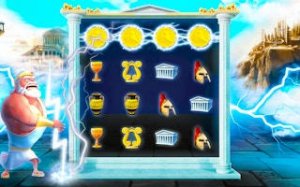
Symbol Match Stack Challenge asks you to slide symbols across a board until three or more identical pieces line up. When they connect, they merge into a larger symbol that joins your collection. The board keeps refilling with new symbols, so the layout never stays still for long. You are always weighing two needs at once: clearing space and setting up the next merge.
Reading the Board Before You Move
Because new symbols arrive after matches, each slide changes the board's future. The game rewards looking ahead rather than reacting to whatever is closest. Deciding which symbols to prioritise, when to clear room, and how to arrange pieces for a larger combo are the real decisions. Chain reactions happen when one merge opens space for another, and watching that sequence resolve is the main source of feedback.
[IMG_1]Bright, Low-Distraction Presentation
Rounded shapes and cheerful colours keep the board readable across a wide age range. Each symbol is distinct enough to recognise on a smaller screen, and the interface stays clean so the puzzle remains the focus. Subtle animations mark each merge without turning into noise, which suits short breaks as well as longer sessions.
Stickers, Sharing, and No Account Needed
Merged symbols unlock stickers you can save to a personal gallery with a dedicated button. From there, you can send favourites to friends through standard messaging apps. No account creation or personal data sharing is required, which keeps the social layer optional. It is a way to mark progress rather than a competitive system.
Playing in a Browser
The game runs entirely in a web browser, so there is nothing to install or update. It works on desktop and mobile, responding to mouse clicks or finger taps. Controls are simple: drag or slide a symbol into an adjacent empty space. That low barrier means you can start within seconds, whether you have a few minutes or a longer stretch.
Compatibility
FAQ
Player comments
Sign in to comment
You must be logged in before posting a review or rating.
No comments yet. Be the first to comment!



Editorial Notes