
What players say
Pou Coloring Creative Game targets children and families who want a quiet creative task rather than a challenge. Its strengths are the absence of timers, scores, and interruptions, plus a clean interface that suits small hands. Saving artwork to a gallery and recoloring the same image add replay value. The limitation is inherent: this is a coloring activity, not a game with progression or goals, so players seeking objectives will find little here.
About this game
What You Actually Do
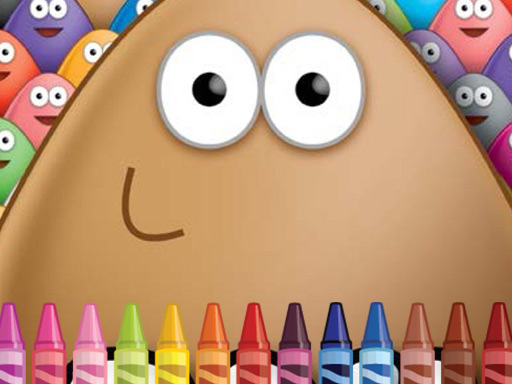
The core loop is straightforward: choose a picture of Pou, pick a color from the palette, and apply it to outlined sections. Each image shows Pou in a different pose or setting, so the subject changes from one picture to the next. There is no timer, no score, and no fail state. The only feedback is visual — the outline gradually fills with the colors you select. That absence of pressure is deliberate. It means a session can last two minutes or twenty, and stopping midway costs nothing.
Controls and Interface
Coloring works with a mouse or touch screen. Tap or click a color, then tap or click the area you want to fill. The interface is kept clean and uncluttered, which matters more than it sounds — fewer on-screen elements mean fewer accidental taps for younger players. An undo option is typically available if a color lands somewhere unintended. Zooming in helps with detailed regions, while zooming out gives a view of the whole picture and your progress. The controls are sized and spaced for small hands, though adults can use them just as comfortably.
Images, Palettes, and Replay
The game offers a range of images featuring Pou in different activities and settings, and the palette covers a wide spread of hues. Because nothing locks in your choices permanently, the same outline can be recolored repeatedly. That is where the replay value sits: experimenting with contrasting colors, testing a single-theme palette, or simply seeing how a different scheme changes the mood of an image. Finished artwork can be saved to a personal gallery, building a collection over time. Some versions include a sharing option for sending creations to family members.
Who It Suits
This is designed for children and families first. The activity supports fine motor control and color recognition in younger players without turning those skills into a test. Older players who want a low-stakes creative break fall into the same audience. The game runs on desktop and mobile, and it contains no advertisements or in-app purchases that would interrupt a session. Updates may add new images and colors over time.
Compatibility
FAQ
Player comments
Sign in to comment
You must be logged in before posting a review or rating.
No comments yet. Be the first to comment!







Editorial Notes